Email Verification Results Explained: Valid, Invalid, Catch-All and More
A marketer-friendly guide to interpreting email verification results and turning each finding into a documented campaign decision.
Read article →
Find practical information about supported files, result statuses, credits, API requests and how ListCleaner handles your workflow.
CSV, XLSX, TSV and consistently delimited TXT files are supported. XLSX files must contain one worksheet.
After upload, the preview displays the detected columns. Click anywhere in the column that contains the email addresses you want to clean.
Yes. The selected email column is validated while supporting columns remain available in the exported data.
Yes. The dashboard refreshes active job progress, and API integrations can request the current cleaning-job status.
You can retrieve the complete result and the available deliverable or non-deliverable subsets for the job.
No. Purchased credits remain available until you use them.
Credits represent verification work and are available to both dashboard and API workflows for the same account.
A catch-all domain accepts mail without reliably confirming whether the individual mailbox exists. It should be handled according to your own sending policy.
Yes. The synchronous verification endpoint returns the status directly in the API response.
Yes. The list workflow supports upload, job-status monitoring and result retrieval.
The interactive documentation keeps credentials in the current browser session only, so they are cleared when the page session ends.
Review the privacy page and the GDPR/data-processing overview linked in the footer and trust resources.
Tell us about your file, integration or cleaning volume.
A marketer-friendly guide to interpreting email verification results and turning each finding into a documented campaign decision.
Read article →A practical 12-step email list cleaning checklist for marketers preparing a newsletter, launch or re-engagement campaign.
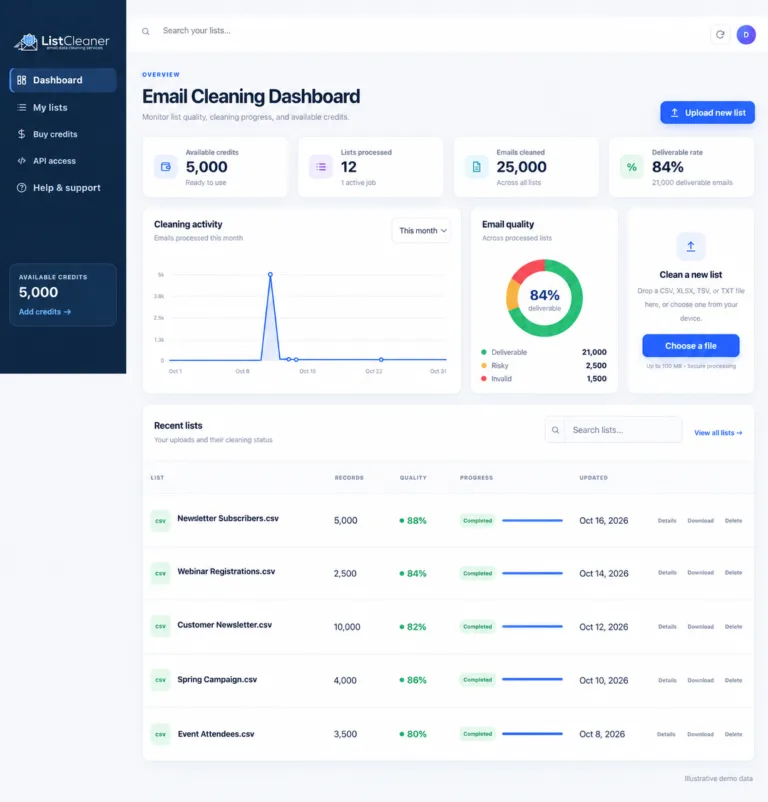
Read article →Explore the new ListCleaner dashboard for uploads, cleaning activity, email-quality summaries, recent lists, credits and API access.
Read article →